
Replacing Your Nissan Key Fob | Nissan South Morrow
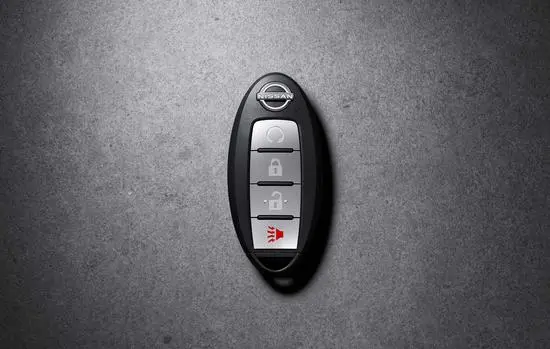
Replacing Your Nissan Key Fob
Having a dead key fob can be frustrating, especially when it happens without warning. Usually, your vehicle will let you know when the battery in your fob is running low; if it does, you should work on replacing it as soon as possible. Below, we will discuss the steps to replace your Nissan key fob’s battery and explain how you can still get into your car even if the battery is dead.
1. Determine Correct Battery and Remove the Hidden Key
First, check your owner's manual to determine what battery you should purchase at the store. Once you have the correct battery, remove the hidden key from the back of the Nissan key fob.
2. Open the Key Fob Housing and Remove the Old Battery
Use the tip of a small flathead screwdriver to open the key fob housing and remove the old battery from the Nissan Intelligent Key, ensuring you note the battery's position.
3. Replace With New Battery
Take the new battery and place it into the vacant battery slot, ensuring it fits into the exact orientation of the old battery. Align the two halves of the key fob casing to ensure a tight fit, and then snap them together.
4. Test Key Fob
The final step is to determine if your key fob works properly by using it to open your vehicle. If you can open your vehicle remotely, you are all set to enjoy a nice ride in your Nissan!
If you are struggling to open up the Nissan key fob or are still experiencing key fob issues, schedule a service appointment with our Nissan South Morrow service team.
Getting Into Your Nissan With a Dead Key Fob
Ideally, you will replace your key fob’s battery before it loses all its juice. However, circumstances arise where this isn’t the case, and you still need to get into your Nissan. Luckily, the Nissan key fob has a backup key to help you out of this tricky situation.
1. Look for Small Release Hatch
First, flip over your key fob and look for a small release hatch. Press the release hatch to pull out the emergency key at the bottom of the fob.
2. Unlock Your Car
Next, you will unlock your car with the emergency key and look for a key fob port to start your vehicle.
3. Start Your Nissan
If your vehicle has a key fob port, you will simply need to insert your fob and tap on the brake while pressing the Start/Stop button. If your vehicle does not have a pot, you will step on the brake or clutch as you press the key against the Start/Stop button.
Have Your Vehicle Serviced at Nissan South Morrow
At Nissan South Morrow, we pride ourselves on providing top-notch service to all Nissan owners. With our convenient online scheduling service, you can securely schedule an appointment with us today. Contact us below to schedule a service appointment.
We look forward to addressing all of your vehicle needs soon!
Replacing Your Nissan Key Fob | Nissan South Morrow